ScreenShooter
v2.1.0
ScreenShooter v2.1.0
An update focused on helping you stay organised across projects, sessions, and workflows — while making ScreenShooter feel faster and more reliable day to day.
New Features
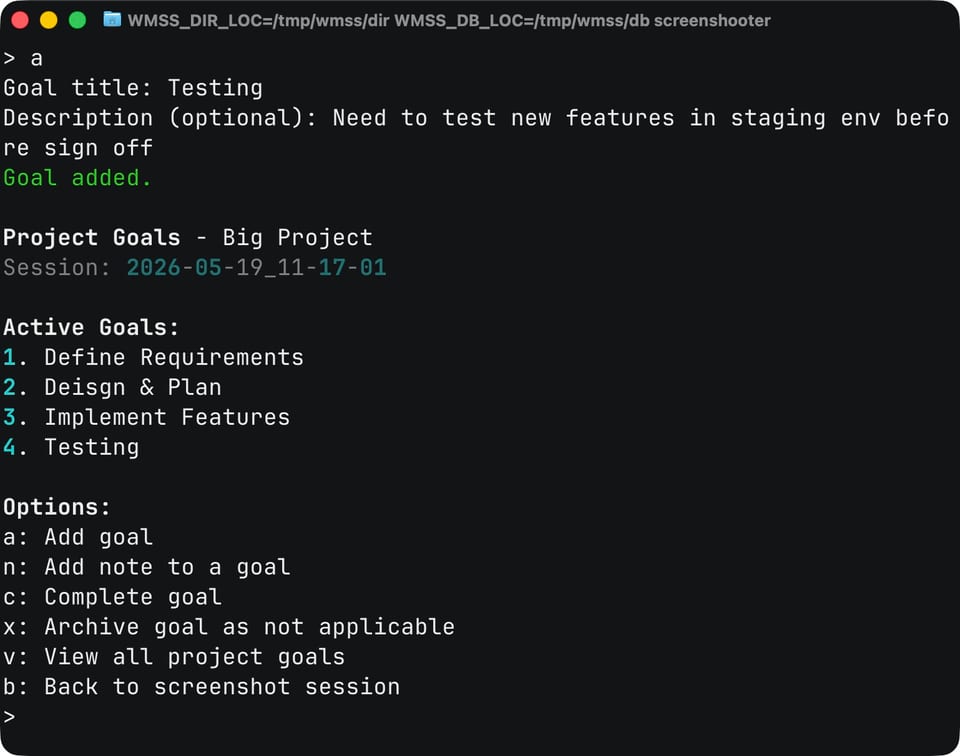
Project Goals & Task Planning Across Sessions
You can now structure work more clearly around goals, tasks, and progress tracking across sessions in a project:
- Added new "project goals" allowing you to keep track of tasks across sessions (accessed via 'g' command in the in-session flow)
- Add "project goal notes" allowing you to keep track of goals, completing things or closing out of scope as necessary
Improvements
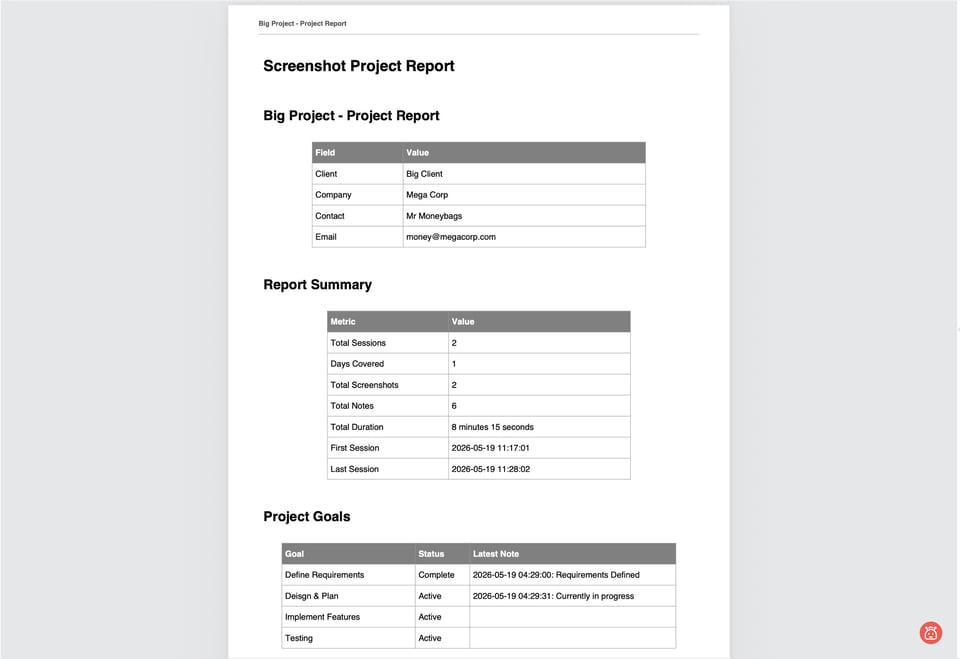
Reports
Reports design has been reimagined to be more coherent design system making them more professional and less distracting:
- Report design is more cohesive with consistent clear table design and notes
- Header and Footers are added to all report types with page numbers and client information included on every page
Quality of Life / Stability
- Backups and Report to S3/R2 buckets are now parallelised so that this process is faster
- how many parallel threads that can be determined in the backup or s3 settings with default set to 8.
- Added --debug flags for backup and sync processes allowing for more granular but easier to parse info at a glance
More info on the release (including the code changes) can be found here: https://gitlab.com/workmaster/screenshooter/-/releases/v2.1.0